Play it.
Padwork keeps it.
A workbench for your teenage engineering EP-133 K.O. II: it turns what you just played into a pattern, puts a song onto the pads, and lets you edit, mix and back up everything from your computer.
The demo needs no EP-133 · Chrome or Edge · nothing is uploaded · no account
What it does
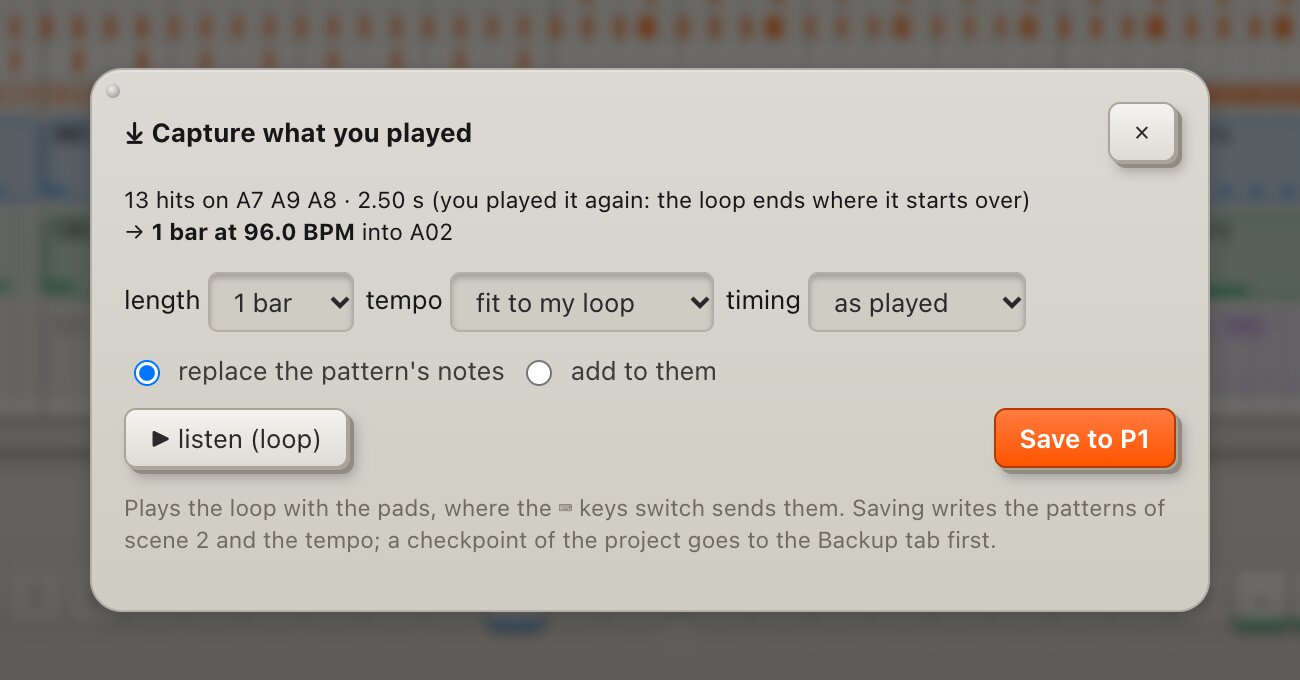
Capture: the loop you just played
Jam on the pads with the sequencer stopped: no metronome, no record button, no tempo to set first. One click and the phrase you just played becomes a pattern.
- finds where the phrase starts over, picks 1–8 bars and the tempo that fits
- keeps your timing; snapping to the grid is only an option
- loops it for you before anything is saved
Transcribe: a song onto your pads
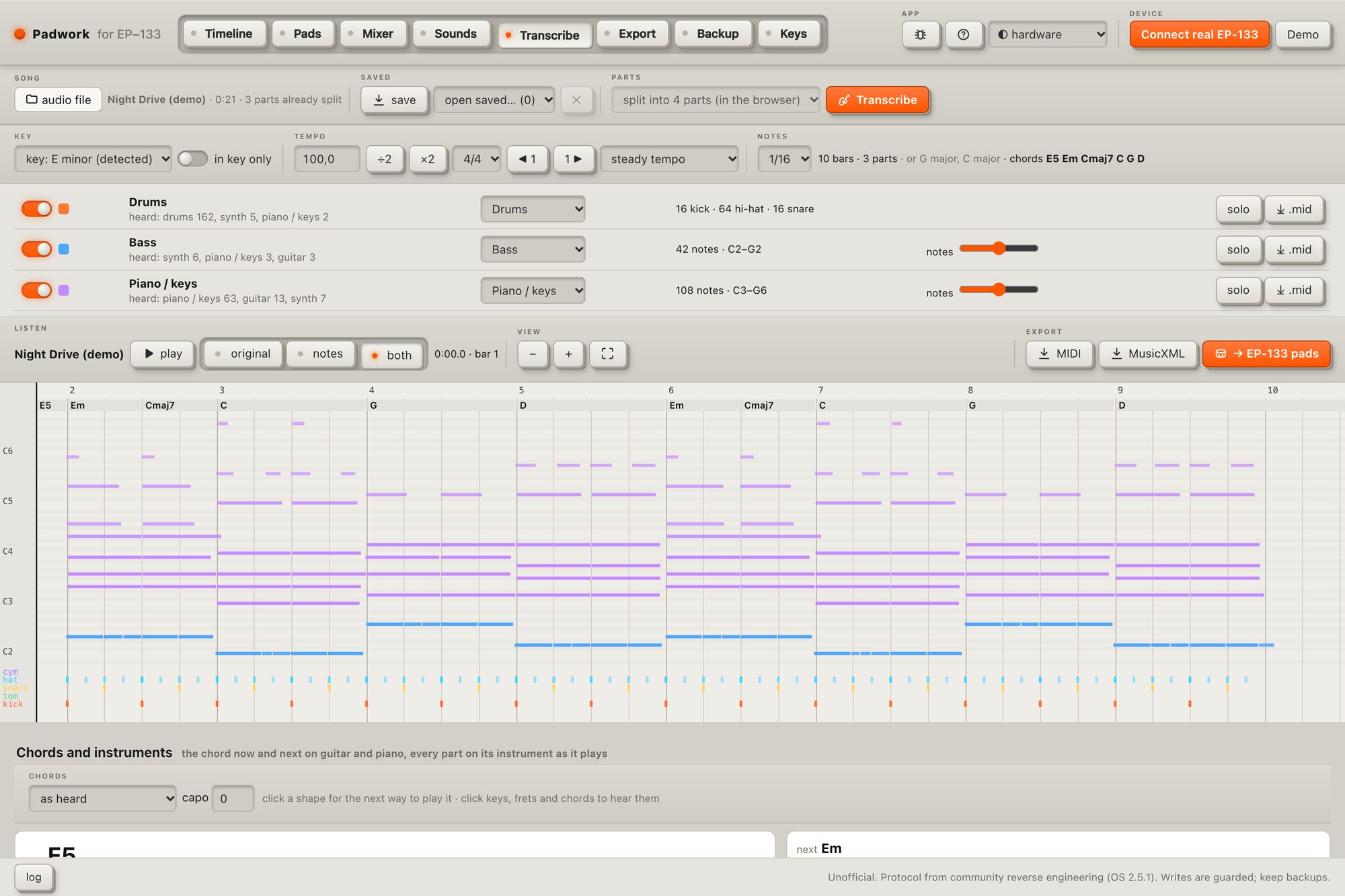
Drop in a song. Padwork splits it into parts, finds the notes, drums, key, tempo and chords, and shows them as a piano roll, notation and guitar or bass tab.
- a few bars go onto the EP-133's pads as samples cut from the song itself, tuned, with the pattern that plays them
- export MIDI, MusicXML or Guitar Pro
- everything runs on your computer, the song never leaves it
Your EP-133, in hi-fi
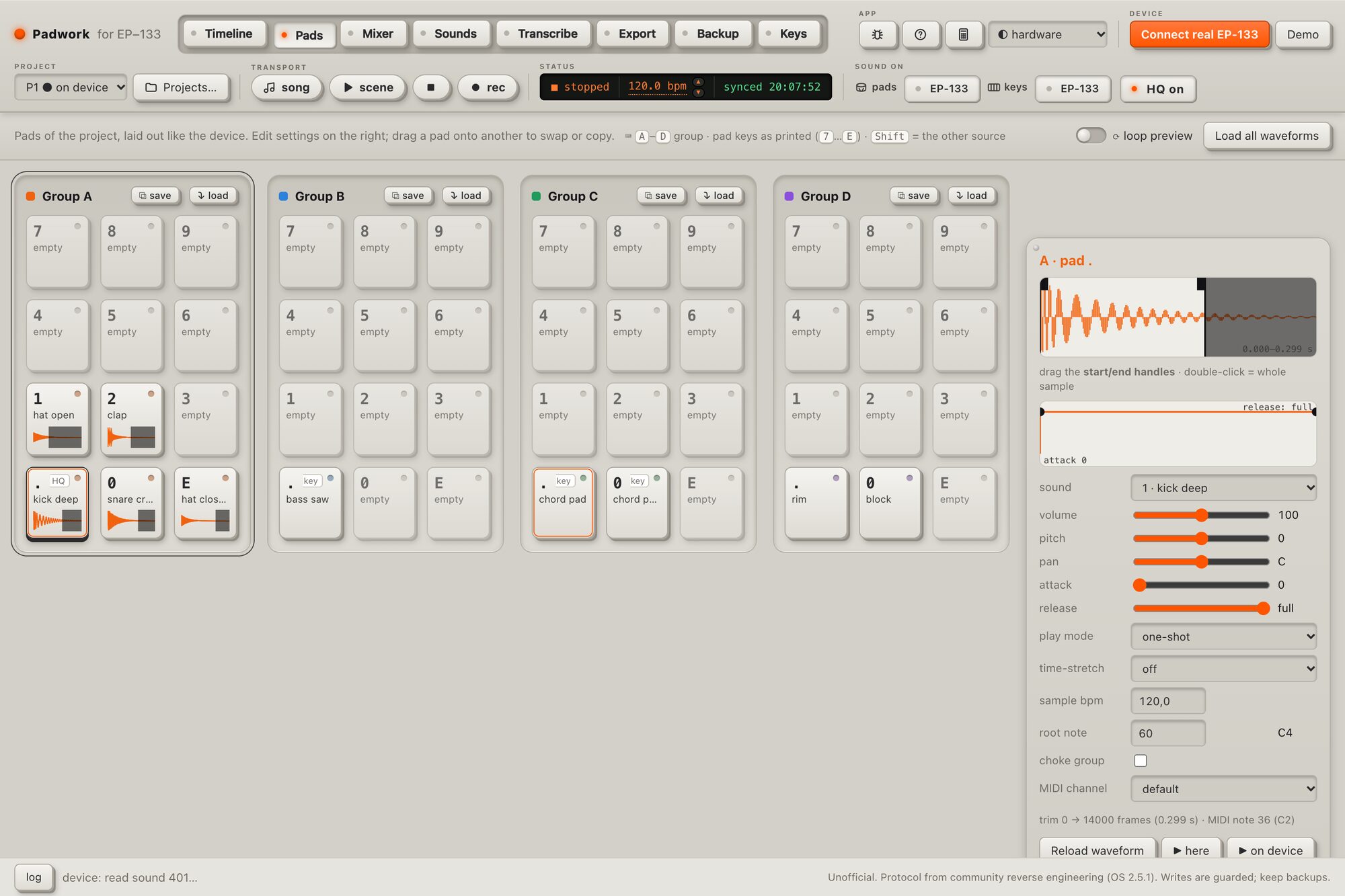
Keep playing the EP-133, hear it through your computer: each pad can play the original, full-length, 24-bit stereo sample instead of the device's copy, with the pad's own settings, mixer and effects.
- a mixer per group with EQ, drive, compressor, delay and reverb
- record every group as its own track, line up long audio files under the timeline
Live timeline
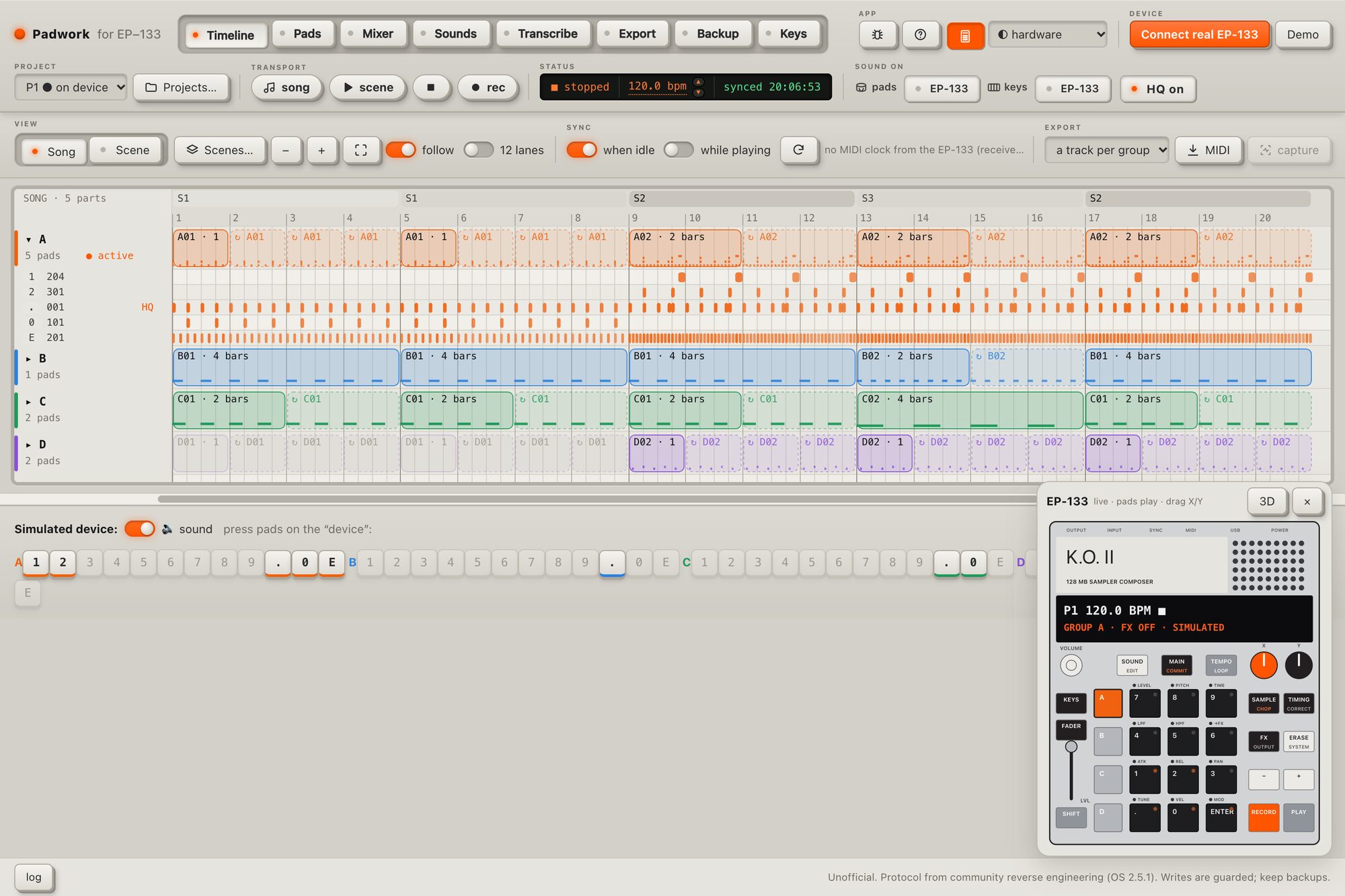
Every scene and pattern on one timeline. Hits you play while recording appear the moment you play them.
Pattern and pad editing
Move notes, copy, quantize, humanize. Trim, pitch, envelope and play mode for every pad, with undo.
Sample editor
Fades, volume curves and EQ you drag as nodes. Split a recording into drums, bass, vocals and the rest with AI, on your computer.
Backups and an offline copy
One file with every project and sound. Open your copy and play your songs without the EP-133 plugged in.
Export
MIDI of your patterns, stems of every group, or a recording of the EP-133's own audio over USB.
Play from the keyboard
Your computer keyboard or a MIDI keyboard plays the EP-133's sounds, chromatically.
Safety first
Your projects stay yours.
Padwork talks to the EP-133 over USB, the same way its own tools do. Before it changes anything, it makes sure you can undo it.
Read-only until you say so
Writing to the device stays off until you switch it on.
A copy before every save
Each change saves a copy of the project first, then reads the result back from the EP-133 to check it.
Only tested firmware
On an EP-133 OS version we haven't tested, saving stays locked until you allow it. Tested: OS 2.5.1.
Questions
Good to know
What do I need?
An EP-133 K.O. II, a USB-C cable that carries data, and Google Chrome or Microsoft Edge on a Mac, Windows or Linux computer. Safari and Firefox don't have Web MIDI, which the app needs to talk to the EP-133.
Does it work on an iPhone or iPad?
Not yet: Safari on iOS has no Web MIDI. Chrome on Android has it, but we haven't tested phones.
Is anything uploaded?
No. Your projects, samples and songs stay on your computer and your EP-133. There is no account and no tracking.
Can it break my EP-133?
It's built not to: read-only by default, a copy of the project before every save, every save checked by reading it back, and saving locked on firmware we haven't tested. It's still a beta: make a full backup in the app first (it asks you to).
Is it made by teenage engineering?
No. Padwork is an independent app and not affiliated with teenage engineering.
What does it cost?
Everything is free during the beta. Later, viewing, backups and sample uploads stay free and the editing and creative tools become a paid Pro upgrade. How it's sold is still open: tell us what you'd prefer. Beta testers hear first and get it cheaper.
Beta
Try it and tell us what breaks
Padwork is new. If something doesn't work, the 🐞 button in the app copies a report with what we need. Send it, or anything else, to support@getpadwork.app. And tell us, in a two-minute survey, how Pro should be sold.