EP-133 on an iPhone: edit and back up from your phone
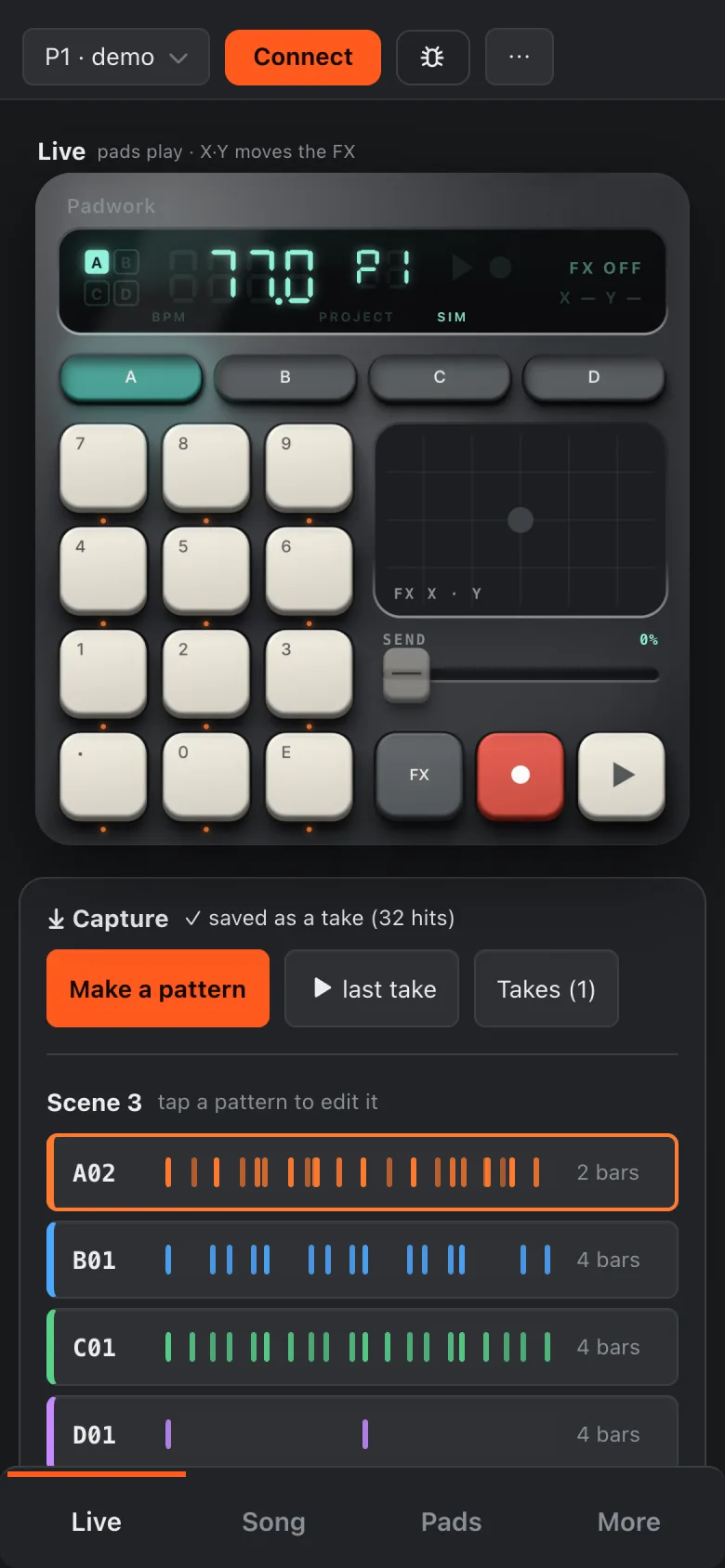
Browsers on the iPhone have no Web MIDI, so the usual browser tools for the EP-133 K.O. II don't connect from Safari or Chrome there. One free app adds it. With it, Padwork backs up, restores, edits pads, uploads samples and plays the pads from the phone. Here is the setup, and what we checked on a real iPhone.
In short
Install the free app MIDIWeb Browser (iOS 17.6 or later), open getpadwork.app/app in it and connect the EP-133 with a USB-C data cable. Keep the screen on during a backup or a restore.
Set it up
- Install MIDIWeb Browser from the App Store (free). It is a small browser with Web MIDI built in.
- Open
getpadwork.app/appin it. If it asks for access to MIDI devices, allow it. - Connect the EP-133 with a USB-C data cable (on an iPhone with USB-C). An iPhone with a Lightning port needs Apple's Lightning to USB camera adapter; we haven't tried that one.
- Tap Connect. Padwork reads the active project and the list of sounds. The first time, it only reads: changing the EP-133 is off until you allow it (the read-only pill at the top).
What works
Back up and restore
- Full backup of all projects and sounds into one .pak file: tap Save, then Save to Files.
- Restore a project from a .pak in Files or iCloud Drive.
Edit and play
- Pad settings (pitch, volume, trim and more) change on the EP-133 at once.
- Project changes are saved and checked by reading them back.
- The Live panel plays the EP-133's pads.
Sounds
- Upload a WAV, AIFF or MP3 from Files; Padwork converts it for the EP-133.
- Files can be picked before the EP-133 is connected; they wait and upload once it is.
Three things to know
- Keep the screen on during a backup, a restore or an upload. A locked phone pauses the page, and a pause in the middle of a transfer can make the EP-133 stop answering until you switch it off and on. Padwork asks the phone to stay awake and says so on screen.
- Playing the pads from the phone needs changes allowed. Padwork gives the pads of the group you play their own MIDI channels, which is a small change on the EP-133. In read-only, a tap on a pad opens that switch once.
- The older app Web MIDI Browser also connects (turn on SysEx in its settings), but it can't open files: no uploads and no restore from a file. Padwork keeps the backups made there inside the app, so they can be restored from its list.
iPad and Android
The same apps exist for the iPad, but we haven't tested it. Chrome on Android has Web MIDI itself, so an Android phone or tablet with a USB-C data cable may work without any extra app; not tested yet either.